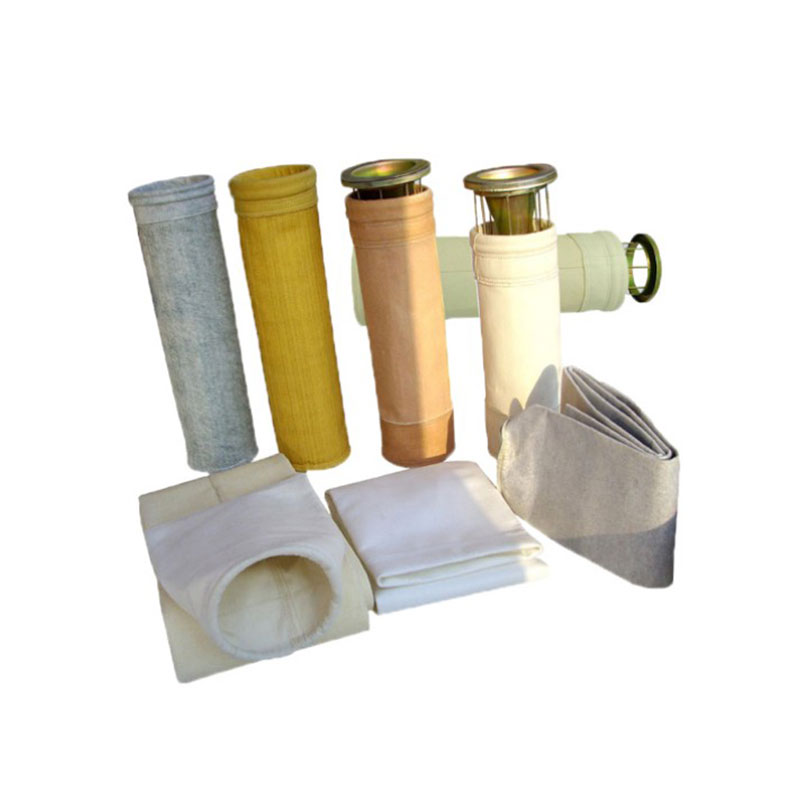
You want your dust collector filter bag to last. You also want it to work well. Regular maintenance keeps your system safe. It helps your system run better. It also saves you money. CPE Filters knows the best ways to care for dust collectors. Most filter bags need to be replaced for three reasons. These reasons are blockage, material damage, or operational issues. Look at the table below to find these signs early:
Factor | Description |
Filter bag blockage | Damp or sticky dust slows airflow. It lowers how well the system works. |
Material damage | Cleaning too much wears out the filter bag fibers. |
Operational issues | Seal leaks let wet air inside. This hurts how the filter bag works. |
Make a routine for maintenance. Watch for warning signs.

Key Takeaways
Taking care of dust collector filter bags helps them work better and faster.
Look for signs like blockages or damage to know when to change filter bags.
Make a regular plan for maintenance so you can fix small problems early.
Check the pressure often to spot filter problems and keep airflow strong.
Clean the hopper and filter media to stop material from piling up and to collect dust well.
Write down all maintenance work so you can see patterns and plan ahead.
Think about using professional maintenance programs for expert help and to follow safety rules.
Change filter bags right away when they show wear to stop expensive repairs and keep things safe.
Why Dust Collector Filter Maintenance Matters
System Performance and Efficiency
You want your dust collection system to work well every day. Taking care of the dust collector filter helps you reach high collection efficiency, like CPE Filters says. When you follow a routine, your dust collector filter bag stays clean and works better. This lets your system collect more dust and use less energy.
Here’s what happens when you take care of your dust collector filter:
Your system keeps working well and does not break down suddenly.
Clean filters let air move easily, so you use less energy.
Fewer emissions mean your workplace is cleaner.
You fix small problems before they get worse, which saves time.
If you use real-time monitoring, you can find problems early and change parts before they stop working. This keeps your dust collector running without stopping. It also makes your maintenance jobs easier and faster.
Safety and Compliance
Safety is important at work. Taking care of your dust collector filter protects you and your team from bad particles. You also follow important rules and standards. If you skip maintenance, you could have leaks, fires, or even explosions.
Here’s how regular dust collector filter maintenance helps with safety and rules:
Checking equipment often helps you find broken parts before they cause problems.
Doing maintenance on a schedule keeps your system safe and follows government rules.
Training your team helps everyone know how to use dust collection safely.
Keeping records shows you follow safety steps, which helps during checks.
Audits and inspections show you meet standards and keep your workplace safe.
Rules like NFPA 652 and NFPA 654 tell you how to handle dust and stop accidents. EPA and OSHA also want you to check your system and keep records. Following these rules shows dust collection is important and keeps your business safe from fines or shutdowns.
Cost Savings and Longevity
You want to save money and make your dust collector last longer. Taking care of your dust collector filter helps you do both. When you look after your filters, you do not have to pay for big repairs or lose time.
Look at these numbers:
Evidence Type | Description |
Downtime Cost | The average cost of downtime is about $3,300 USD per hour. |
Cost Savings | One company saved over $19,500 USD by making filters last longer. |
Monitoring Service | Filtration monitoring can stop costly downtime and pay for itself. |
If you keep your dust collector filter bag in good shape, you buy fewer replacements. You also do not have to pay for emergency repairs. Taking care of your dust collector filter helps your system last longer and saves you money every year.
Dust Collector Filter Maintenance Best Practices

Structured Maintenance Schedules
A good maintenance schedule keeps your dust collector running strong. You want to avoid surprises and keep your workplace safe. Start by setting up a routine that covers daily, weekly, monthly, and annual checks. This way, you catch small problems before they turn into big ones.
Daily, Weekly, Monthly, Annual Checks
You should check your dust collector filter bag and system every day. Look for dust buildup, listen for odd noises, and make sure everything looks right. Each week, inspect the filter housing for signs of wear or damage. Clean the filter elements to stop dust from piling up. Every month, check the power supply connections and make sure all parts are tight and safe. Once a year, do a full inspection. Look for corrosion, test the system, and get ready for the next season. Many experts, including CPE Filters, suggest seasonal tune-ups, especially before winter. Cold weather can cause new problems, so it helps to prepare early.
Here’s a simple checklist to help you remember:
Inspect filters and housing for damage or dust buildup.
Clean or replace filters as needed.
Check power connections for safety.
Look for signs of corrosion or leaks.
Schedule seasonal tune-ups before winter.
Tip: Following the manufacturer's suggested intervals for filter replacement helps your system last longer and work better.
Differential Pressure Monitoring
You can spot filter problems early by watching the differential pressure. This is the difference in air pressure before and after the filter. If the pressure gets too high or too low, your dust collector might not work right.
Setting Baselines and Thresholds
Start by recording normal pressure readings during regular operation. Most systems run best between 4 and 6 inches of water column. Write down these numbers every day. If you see the pressure go up, it might mean your filters are clogged or the cleaning system is not working. If the pressure drops too low, you could have a leak or a filter bag that is not forming dust cake properly. By tracking these numbers, you can fix problems before they stop your system.
High pressure means dust cake buildup or clogged filters.
Low pressure can mean leaks or poor dust cake formation.
Daily monitoring helps you avoid breakdowns and keeps your system efficient.
Hopper and Filter Media Inspections
You need to keep the hopper and filter media clean to prevent problems. Material buildup can block airflow and cause dust to spill out. Regular inspections help you catch these issues early.
Preventing Material Buildup
Check the hopper every day for signs of dust overflow or blockages. If you see dust piling up, clean it out right away. Some hoppers work better with vibrators installed. These devices shake the hopper and stop dust from sticking or forming bridges. For sticky or odd-shaped dust, vibrators can make a big difference. Make sure the hopper is sealed tight to prevent leaks.
Inspect for dust overflow or discharge issues.
Clean the hopper based on dust levels—this could be weekly or bi-weekly.
Use vibrators to break up stuck material.
Keep the hopper sealed to stop leaks.
Checking for Filter Leaks
Leaks in your filter bags or housing can let dust escape into the air. Look for dust around the seals or on the clean side of the filter. If you find dust where it should not be, you may have a leak. Fix leaks right away to keep your system safe and efficient.
Note: Daily monitoring with a magnehelic gauge helps you spot leaks and pressure changes fast.
By following these dust collector filter maintenance best practices, you keep your system running smoothly. You also protect your team and save money on repairs. Make these checks part of your scheduled maintenance routine, and you will see better results every day.
Cleaning System and Air Quality
You want your dust collector to work well. Keeping the cleaning air dry is important. Clean air sections should always be very clean. These are important steps for dust collector filter maintenance. If you skip these steps, filter bags can clog quickly. More dust will stick to the bags. This makes your system work harder.
Keeping Cleaning Air Dry
Dry air helps your dust collector filter bag last longer. Wet air can make dust stick together and form thick layers. This makes it hard for the cleaning system to remove dust. Pressure goes up, and cleaning cycles get shorter. Here is what happens when you keep the cleaning air dry: You can remove dust cakes better, so filter bags stay clean. Less water in the air stops dust from sticking and making thick layers. Your system works longer before it needs cleaning again. This helps your dust collector work better. You also stop sudden pressure jumps that can hurt your filter bags.
Tip: Always check your air supply for water. Use air dryers or moisture traps if you see wet spots or water drops.
Vacuuming Clean Air Sections
You need to vacuum the clean air sections often. Dust can get past the filter bags and land in these areas. If you let dust build up, you could get leaks and bad air quality. Vacuuming keeps your system safe. It also helps you find problems early. Use a HEPA vacuum to clean the clean air plenum and ductwork. Look for dust around gaskets and seals. Clean these areas every month or after you change a filter. If you see dust where it should not be, check for leaks or broken filter bags.
Note: Clean air sections should always look very clean. If you see dust, fix the problem right away.
You can make your dust collector filter maintenance better by focusing on air quality and cleaning system steps. These actions help you avoid big repairs and keep your workplace safe.
Recordkeeping and Documentation
You want to stay organized and keep track of dust collector filter maintenance. Good records help you see patterns and plan ahead. You can use logs or digital tools to make this easier.
Maintenance Logs and Digital Tools
Write down every maintenance job you do. Record the date, what you checked, and any problems you found. Digital tools can help you set reminders and save photos. If you keep good records, you know when to clean or change filter bags. Use a logbook or app to track daily, weekly, and monthly checks. Write down pressure numbers, cleaning cycles, and filter bag changes. Save photos of filter bags and hopper conditions. Set alerts for scheduled maintenance.
Tip: If you use digital tools, you can share records with your team and make checks easier.
Keeping records is one of the best ways to care for dust collector filter bags. It helps you stop problems before they get big and keeps your system working well.
Professional Maintenance Programs
Sometimes you need help from experts. Professional maintenance programs give you peace of mind. They keep your dust collector working its best. CPE Filters offers services that cover every part of your system.
CPE Filters’ Preventative Services
When you join a professional maintenance program, you get many good things. Here is a quick look:
Benefit | Description |
Enhanced Safety | Preventative maintenance lowers dust hazards and makes indoor air better. |
Regulatory Compliance | Helps you follow OSHA rules and new NFPA 660 standards for dust safety. |
Cost Efficiency | A well-cared-for system uses less energy and lasts longer. |
Operational Continuity | Stops surprise breakdowns and keeps production running with good maintenance. |
CPE Filters’ workers know a lot about dust collector filter maintenance. They check your cleaning filter bags, look at valves, and test for leaks. Your system works better and lasts longer. You also avoid fines and keep your workplace safe.
Callout: If you want your dust collector to work well, think about a professional maintenance program. You save money, stay safe, and follow all the rules.
When to Replace Dust Collector Filter Bags
Signs of Wear and Failure
You want your dust collector filter bag to work well every day. Sometimes, you need to spot signs that tell you it’s time for filter bag replacements. If you notice dust escaping or see smoke in the air, your filter bags might not be doing their job. Failed emission tests also show that your filters need attention. Holes or tears are clear signs that you must replace filter bags soon.
Visual Cues (Dust, Discoloration, Damage)
Look for these clues when you check your filter bags:
Visible dust or smoke coming from the exhaust.
Dust settling on nearby equipment or floors.
Filter bags with holes, tears, or thinning fabric.
Discoloration or grubby appearance on the filter bags.
Wear rings or damage where the filter bag touches the cage.
Staff complaints about indoor air quality.
If you see frothy air or dust clouds, that’s a warning. Sometimes, you notice abrasion marks or thinning fabric in high-velocity areas. These signs mean your filter bags are wearing out.
Persistent High Differential Pressure
You should watch the pressure readings on your dust collector. If the pressure drop stays high even after cleaning, your filter bags may be clogged or damaged. When dust collection efficiency doesn’t improve after cleaning, it’s time to check for replacement. High differential pressure means your system works harder and uses more energy. This can lead to more wear and tear.
Tip: Keep a log of your pressure readings. If you see numbers that don’t go down after cleaning, plan for filter bag replacements.
Replacement Frequency Guidelines
You might wonder how often you need to replace filter bags. The answer depends on your system and how you use it. Most manufacturers suggest changing dust collector filter bags every 1 to 3 years. In some places, you can stretch this to 4 or 5 years if conditions are good. If your operation is tough, you may need to change them every year or even every quarter.
Scheduled vs. Condition-Based Changes
You can follow a schedule or change filter bags based on their condition. Here’s a quick look at what affects replacement timing:
Factor | Description |
Dust Load | More dust means faster wear. |
Airflow Rate | High airflow can wear out filter bags quickly. |
Humidity Levels | Moist air can shorten filter bag life. |
Temperature | Extreme heat or cold can damage filter materials. |
Cleaning Practices | Good cleaning extends filter bag life. |
Operating Hours | More hours mean more frequent replacements. |
Installation Environment | Harsh environments cause extra wear. |
Pressure Drops | High pressure drops signal replacement time. |
Chemical Exposure | Chemicals can break down filter materials. |
You can choose to replace filter bags on a set schedule or when you see signs of wear. If you keep up with regular maintenance, your filter bags last longer. If you notice any of the warning signs, don’t wait—change them right away.
Note: The type of filter media matters. Some materials handle heat or chemicals better. Pick the right filter bag for your needs and check them often.
How to Replace Dust Collector Filter Bags
Safety Precautions
You need to stay safe when you replace filter elements in your dust collector. Dust can be dangerous. Some types of dust can even explode if you do not follow the right steps. You should always protect your eyes and lungs from fine particles. Before you start, make sure you have the right safety gear.
Wear a dust mask or respirator.
Use safety goggles to protect your eyes.
Put on gloves and coveralls to keep dust off your skin.
Check if your dust collection system has explosion protection.
Make sure you have a confined space permit if your system needs one.
Train everyone on the hazards and safety steps.
Tip: Always follow lockout-tagout rules before you work on your dust collector. This keeps you safe from moving parts and electrical hazards.
Removal Steps
Power Down and Disconnect
You must turn off your dust collector before you start. Shut down the system and disconnect the power. Lock out the controls so no one can turn it back on by mistake. Let the system cool down if it has been running. Pulse down the cleaning filter bags to remove loose dust. Allow the screw auger and rotary air lock to clear out waste.
Loosen Clamps and Remove Old Bag
Open the clean air section doors. Remove the pulse tubes and cages if your system uses them. Flex the bag’s seal toward the center of the tube sheet hole. Drop the old dust collector filter bag into the dirty air section. Go to the hopper and collect all the old bags. Count them to make sure you removed every bag. Place the dirty bags in a dust-tight bag or sealable container for safe disposal. Close and secure all access doors when you finish.
Note: Always dispose of old filter bags in sealed containers. This stops dust from escaping and keeps your workspace clean.
Installation Steps
Clean Filter Housing
Before you install new dust collector filter elements, vacuum the clean air section. Remove all dust and debris. Check the filter housing for damage or leaks. Make sure the area is dry and free from moisture.
Insert and Align New Bag
Drop each new filter bag through the tube sheet one at a time. Unfold the bag in the dirty air section. Flex the snap band toward the center of the tube sheet hole. Do not bend the snap band at the seam. Push the band toward the edge of the hole until you hear a snap. This means the bag is sealed. Slowly lower the cage down the center of the filter bag. Seat the cage gently so it fits snug.
Tip: Make sure every filter bag is in the correct position. Proper alignment stops leaks and keeps your system efficient.
Secure Clamps and Gaskets
Check all clamps and gaskets. Make sure they are tight and secure. Look for gaps where dust could escape. If your system uses hold-down hardware, reinstall it. Seal the outer shell and filter bag interfaces to prevent dust leakage. Confirm that moving parts operate smoothly.
Step | What to Check |
Clamps | Tight and secure |
Gaskets | Properly seated, no gaps |
Filter Bag Position | Correct orientation, sealed snap band |
Hardware | Reinstalled and working |
Callout: If you follow these steps, you will keep your dust collector running safely and efficiently. You will also avoid dust leaks and system failures.
Post-Replacement Checks
Leak Testing and System Restart
You just finished installing new dust collector filter bags. Now, you need to make sure everything works right. This step is important. If you skip it, you might miss leaks or other problems that could hurt your system.
Start with a careful look at your work. Check every seal and clamp. Make sure each filter bag sits in the right spot. Look for gaps or loose fittings. If you see dust around the seals or on the clean side, you may have a leak. Fix these right away.
Next, you need to test for leaks. Here’s a simple way to do it:
Close all access doors and panels tightly.
Turn on the dust collector at low speed or in manual mode.
Watch for dust escaping from seams, gaskets, or around the filter bags.
Use a flashlight to check for fine dust in the clean air section.
If you have a magnehelic gauge, check the differential pressure. Compare it to your normal baseline. A sudden drop or spike means something is wrong.
Listen for odd noises. Hissing or whistling can mean air is leaking out.
If you find a leak, shut down the system and fix it before moving on.
Tip: You can use a smoke stick or incense to help find small leaks. Hold it near the seals and watch for smoke movement.
After you check for leaks, you can restart your system. Follow these steps:
Power up the dust collector slowly. Let it run for a few minutes.
Watch the pressure readings. They should stay steady and close to your normal numbers.
Check the cleaning system. Make sure the pulse jets or shakers work as they should.
Walk around the system. Look and listen for anything unusual.
If everything looks good, let the system run at full speed.
Keep an eye on the system for the next few hours. Write down the pressure readings and any changes you notice. This helps you spot problems early.
Step | What to Do |
Check Seals | Look for gaps, dust, or loose fittings |
Test for Leaks | Use light, smoke, and pressure gauges |
Restart System | Power up slowly, monitor pressure and airflow |
Observe Operation | Watch and listen for problems |
Record Readings | Log pressure and any changes |
Note: Always follow your dust collector’s manual for special instructions. Each system can have small differences.
When you finish these checks, you know your dust collector filter bags are installed right. Your system will run better and last longer. You also keep your workplace safe and clean.
Troubleshooting and Advanced Tips
Common Filter Bag Issues
Causes and Solutions
You may have some problems with your dust collector filter bags. If you know what to look for, you can fix things quickly. Here is a table that shows common problems and what you can do:
Problem Description | Typical Solutions |
Higher than anticipated Pressure Drop | Clean pressure taps, check for leaks, upgrade to a larger unit, adjust cleaning settings, check for condensation, empty hopper regularly. |
Damaged Filter Bags | Replace torn or holed bags right away. |
Improper Filter Installation | Make sure you use the correct size and install bags properly. |
Moisture Accumulation | Increase gas temperature, insulate metal parts, improve shutdown steps. |
If you see a high pressure drop, clean the pressure taps. Check for air leaks in the system. Sometimes, water forms on the bags. You can fix this by making the gas hotter or wrapping metal parts. If you find damaged filter bags, change them right away. If bags are not put in right, dust can get through. Always check the size and fit of your filter bags.
Here are some quick tips: Raise the gas temperature to stop water from building up. Wrap metal parts to keep water away. Let your system run for 10 to 15 minutes after you finish work. This helps get rid of extra moisture.
Tip: If you see holes or tears in your filter bags, change them right away. This keeps your system safe and working well.
Air Leaks and Gasket Checks
Air leaks around filter elements can cause big trouble. You might see dust coming out of the collector. Look at the filter access covers. If they are loose or broken, fix them. Check gaskets for rips or if they are not tight. Look at the housing for cracks or broken welds.
You can use different ways to find leaks. Try using an infrared thermal imager. This tool shows hot and cold spots and helps you find leaks. Compare how much air moves with how hard it is to push air through. If it gets easier, you might have a leak. Watch the dust at the outlet. If it goes up fast, check for leaks.
Detection Method | Description |
Infrared Thermal Imaging | Scan the housing surface to find leaks using temperature differences. |
Differential Pressure Analysis | Compare airflow and resistance to spot leaks. |
Dust Concentration Monitoring | Watch for sudden increases in outlet dust. |
At one cement plant, workers found lots of dust because of old seals and cracked welds. They put in new high-temperature silicone gaskets, fixed the welds, and added a dust monitor. These steps made air leaks go down from 15% to less than 5%.
Note: Checking your system often and installing parts the right way helps stop leaks. If you find a problem, fix it as soon as you can.
Ductwork and Intake Hood Inspections
You need to check your ductwork and intake hoods often. Dust can pile up inside the ducts. Look for leaks and make sure everything is clean. Keep the air moving fast so dust does not settle.
Check that all hood pickups are in the right place. Dampers should be set right. Access doors should not block your work. Hoods should follow the rules from the ACGIH Industrial Ventilation Manual or OSHA.
Here is a checklist for your inspections: Look at ducts and hoods for dust and leaks. Make sure all duct pieces connect and are held up right. Check hood pickups and dampers. Make sure access doors do not get in the way.
Callout: If you keep your ductwork and hoods clean and in good shape, your dust collector will work better and last longer.
When to Call a Professional
Sometimes, you need help from an expert. You might do most dust collector filter bag maintenance by yourself. But there are times when calling a professional is the best choice. You want your dust collector to work well and stay safe. If you keep having the same problems, or if you are not sure what is wrong, it is smart to ask for help.
Here are some signs you should call a professional:
Dust still escapes after you put in new filter bags.
The differential pressure stays high, and cleaning does not fix it.
You find leaks in the housing or gaskets, but repairs do not work.
Your system does not pass an emissions test or inspection.
You hear weird noises or feel shaking in the dust collector.
You see rust, broken welds, or damaged parts inside the unit.
You cannot find where air leaks are coming from.
You have problems with electrical controls or safety systems.
Tip: If your dust collector stops working or you see dust clouds, call a professional right away.
You may also need help if your team does not have the right tools or training for hard repairs. Some jobs need special equipment, like infrared cameras or magnehelic gauges. Professionals use these tools to find leaks that are hard to see and fix them quickly. They know how to handle dangerous dust and follow safety rules.
Here is a simple table to help you decide:
Situation | What You Should Do |
Recurring leaks | Call a professional |
Failed emission tests | Get expert help |
Electrical or control issues | Contact a technician |
Unusual noises or vibrations | Ask for an inspection |
Corrosion or broken welds | Schedule a repair |
Unclear source of air leaks | Request leak detection |
You can save time and money by getting help from experts. Professionals from CPE Filters know dust collector systems very well. They can find worn parts, fix leaks, and keep your system working its best. You also feel better knowing your workplace is safe and follows all the rules.
Callout: If you want your dust collector to last longer and avoid big problems, call a professional. Expert maintenance helps you find problems early and keeps your system running well.
You do not have to wait for a big problem to get help. If you are not sure or see warning signs, ask for help. CPE Filters has preventative maintenance programs that include inspections, repairs, and upgrades. You get good service and advice every step of the way.
You can keep your dust collector working well if you follow these steps:
Clean filter bags by shaking, using compressed air, or vacuuming.
Do not use water when you clean them.
Check for tears, bad smells, or thin spots in the fabric.
Make sure seals are tight and change bags before they break.
Doing regular maintenance helps stop fires and saves money.
Make a checklist for jobs each week, month, and every few months.
Skilled workers from CPE Filters can help you find problems early and stop your system from shutting down.
Want to feel safe? Try CPE Filters’ preventative maintenance programs for expert help.
FAQ
How often should you check dust collector filter bags?
You should check your filter bags every day. Look for dust buildup, damage, or leaks. If you spot any problems, fix them right away. Regular checks help your system run better.
What signs show you need to replace filter bags?
Look for holes, tears, or thinning fabric. Watch for dust escaping from the system. If pressure readings stay high after cleaning, your filter bags may need replacing.
Can you clean filter bags instead of replacing them?
You can clean filter bags by shaking, vacuuming, or using compressed air. Do not use water. If bags have damage or bad smells, replace them. Cleaning helps extend their life.
What safety gear do you need when replacing filter bags?
Wear a dust mask or respirator. Use safety goggles and gloves. Cover your skin with overalls. Always follow lockout-tagout steps before you start.
How do you prevent dust collector leaks?
Check clamps and gaskets for tightness. Inspect seals and housing for cracks. Use a magnehelic gauge to monitor pressure. Fix leaks as soon as you find them.
Who can help with dust collector maintenance?
CPE Filters offers expert maintenance programs. Skilled technicians inspect, repair, and upgrade your system. You get peace of mind and keep your workplace safe.